
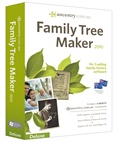
 Ancestry has just released a Patch Update for Family Tree Maker Version 2010 for computers using Windows Vista or Windows 7.
Clicking here will take you to Family Tree Maker’s Knowledge Base website with instructions and the patch. This update is free, and it will bring the Product Version to 19.0.0.207.










I appreciate the information on the Family Tree Maker patch that you have noted on your site, but my problem is I cannot get Family Tree Maker 2010 essentials to install on my Windows 7.0. What are the issues there. I have had several different error messages. It continues to hang up on a box that says C:\…\Family Tree Maker 2010\Backgrounds\Arch de Triomphe.jpg.
Stops dead and will go no further. I’ve had two copies of the program and both did the same thing.
Betty Burdan
Hi Betty,
I’m sorry to hear that you’re having issues with FTM. From a quick look on the Family Tree Message Board you are not the only one who has had this problem.
http://boards.ancestry.com.au/thread.aspx?mv=flat&m=5566&p=topics.software.famtreemaker
I would suggest reading through the queries, and responses, and if you still can’t make any sense of it, write to the message board directly explaining your errors and at what stage of the installation they occur, and someone on there should be able the help you.
It’s also worthwhile to try to install the software on a friend or relatives computer to narrow down if it is an error with the software, or the machine. From what I read on the message boards, you may have to change some settings on your computer, and then it should install correctly.
It’s sad that new versions of FTM get released and fail to work with current versions of Windows. I had several earlier versions that worked well until Vista arrived. I purchased a new laptop with Vista after it was on the market for over a year. I figured most of the bugs would be worked out by then. Shortly thereafter, I decided to upgrade FTM to work with my new system. What a disaster – it never worked. I was shocked when I called FTM tech support and they already had a pre-recorded message with a dedicated number for Vista-related issues. After endless hours of uninstalling and reinsalling and dealing with tech support, I decided to return the product. I returned the CD, never to hear from them again. No refund – no response and a lesson learned.
I just bought a new PC with Windows 7 and was briefly considering purchasing a new version of FTM. After reading the comments from dissatisfied users, I decided against it. Why buy any product with the expectation that you will have to go to message boards to figure out how to get it to work.
Thanks for your comments Gary, it is appreciated, and I hope you have a better experience with another program.
To Betty .. I was having the same problem.. be patient and wait .. almost 7 minutes i waited then all of a sudden it started going.. the ‘Arch’ screen stays on seems like forever!
Now the problem i’m having is that i can’t seem to find out how to directly update my homepage like we did in family tree maker 16 ?? Is this even an option still or do i have to export gedcoms and do it manually ?
Thx
Nik
Same problem with the 2010 installation stalling at that screen where it looks like it is trying to install the Backgrounds\Arch de Triomphe.jpg
After waiting 10 minutes on this superfast brand new machine Windows 7 Pro you finally have to eject the disk to get it stopped. Error 1330A:Core_A-1cab has invalid digital signature and may be corrupt. (Sounds like the trouble when Vista first came out with FTM) HELP
I, too, just waited it out and it eventually proceeded past Arch de Triomphe. Looong wait though.
I’m having the same problem with the installation hanging on the Backgrounds\Arch de Triomphe.jpg problem. Will let it run for a few more minutes to see what happens. But this is a pretty shonky piece of software if its doing this.
Having same problem on a brand new, i5 intel core processor machine – system appears to stall on the arch de triomphe.jpg …taking the advice posted here and just letting it “do its thing”. We’ll see. Very disappointed in this program – and I am a new user. I am not convinced I will become a experienced user, especially since I can’t get the program to load. And did I mention that I”m a computer geek that runs a computer consulting business!??? Very frustrating, indeed. FTM – you all need to straighten out this problem. My first task tomorrow will be a call to BestBuy to alert them to this problem. My second task will be to post this information on my blog, complete with a link to this board – so that other buyers will be aware of this issue. I should have checked closer before purchasing.
Has anyone checked in Windows Explorer to see if the required folder has been made ?, a friend of mine has window 7 & FTW 2010 working without any issues.
Could possibly meet @ a Local Library / Local Family History Society to assist further ?
I have had no success installing ftm2010 to a new computer with Windows 7. Why in the world would ancestry create such a stupidity.
I hvae no trouble running FTM on Win 7, but as I am looking trough the information that I importedfrom PAF I am noticing that wrong parents are attached to some sildren. Have only found two so far but have heaps of people ontheir. Any ideas on why this happened and will I have to import the PAF GEDCOM again please?
I too had the same problem with FTM 2010 – it took about 5 minutes to get past the Arch de Triumphe, then all went OK.
I want to be able to save my FTM 2010 to a thumbnail drive and then take it with me and view it on other computers.
In earlier versions, I was able to do this with read-only capability. I can’t seem to do this with FTM 2010.
What’s wrong?
FTM won’t run from a thumb drive. You will have to have FTM installed on whichever computer you wish to use. Nothing to stop you putting the data and media files on a thumb drive however.
Tried to install FTM on Windows 7 desktop Dell machine that is one year old. No success. Installed program with no problem on Vista Dell laptop that is almost two years old. I’ve tried all of their suggestions for the Windows 7 trouble shooting to no avail. I need the program on my Windows 7 desktop. Next step is to call their help line, but will not have a computer technician come to fix my machine. If the software don’t work out of the box, it is not “my problem”. Also, they are already advertising a new offer for the software that has a photo editing disc for a few dollars more. Maybe this is the real FTM 2011 product and not the one that I received?
Hi Alona
If i am not wrong we live in same country and having same problem with Family Tree Maker.
Mine is ver 2006 and worked all right on xp but now i have win7 and it don’t fit.
Can you pls addvise me if you found a solution to it ?
Thanking you in addvance.
If it is not too much to ask i would live to receive your reply to my email which is aviriv@gmail.com.
Thank you.
Avi
How do you get the windows 7 to accept the patch 19.0.0.207
My administration is not accepting it.
Hi Gloria, If you’re having problems with update, I suggest you get in touch with FTM’s Tech Support people: http://www.familytreemaker.com/Pages/Support/Contact.aspx
I purchased an FTM update about 7 months ago to use with the Windows Vista operating system. I have had no success with it. I had my files back up, but it does not want to access them or had destroyed my files attempting this.
Who can help me decide where to go from here?
I dare not do anything more until I can get some assistance.
Thank you.
cb
Hi Catherine,
It’ll be easier if you contact me directly by phone or email, as I may be able to help you, but do need more details, such as what version of FTM are you currently trying to install on your Vista computer?
And also is it coming up with any error messages? If so, what and at what stage of the install?
Also can you locate any of your original .FTW files on your computer?
I’ll be back at work as of Tues 4th Jan, so you’re welcome to phone or email if you wish. I’ll be happy to help if I can.
phone: (08) 8396 1110
email: alona@gould.com.au
Thanks,
Alona
Gould Genealogy
I am staring at a copy of FTM 2010 that has yet to be installed on either of my PCs with WIN 7, 64-bit operating systems. All suggested remedies have been applied, without success.
Do the FTM developers understand the nature of the installation issue?
Do the FTM developers have a definitive solution to the problem? Will they share it with us?
Does this problem persist with FTM 2011? If not, what changed in the 2011 version that rectified the problem?
Regards,
Tim
I recently bought a lap-top with windows 7. Before, I had a a console
computer with Windows XP -I had no problems with it. now -I can’t even download my Family Tree only the title of the file.
I need to send a copy of this file via E-mail but I get a message Windws can’t find this E-mail address, and yet I am regularly sending
to this address in normal E-mails. Why is Windows 7 so stupid!?
How can I download this patch to bring my family tree into windows 7 -from windows xp?
John, thanks for your inquiry. I take it since you’ve ended up on our blog post about FTM 2010, that you do have FTM 2010, and it is this that’s not working on your Win 7 computer.
If it is a version earlier tham FTM 2008, no it will not work on Win 7 anyway, so you would need to upgrade.
Back to presuming its 2010, if you go to the FTM website which mentions this patch update (click here to get to this page http://bit.ly/fWg0BZ ), it shows you screen by screen on what to do.
If this doesn’t work, either write to or phone Ancestry support.
If you are in Australia the number to call is 1800 251 838 Mon-Fri.
I am rinning Win 7 and have no luck installing FTM 2010. I see that I am not the only one. When I insert the disk in my CD drive, I get the FTM banner and white box which says that it is preparing my Install Shield…please wait. A green bar goes about 3/4 the way across this box and another starts and the installation process stops! I have copied the files from the CD to my desktop and tried running it from there and got the same results. I have tried running it with my anti-virus shut off and with everything in my tray shut down, except my internet server. It still will not install. I have FTM Ver 5 and I installed it without any problem. I installed My Heritage without any problem.
I gave the CD to my son and he installed it on his Win 7 computer. I also gave it to my brother and he installed it on his Win 7 computer.
I know nothing about computers other than how to follow instructions. I can do that, along with power up and power down. So, I need hep desperately.
Hello every one.
I am sorry for late reply but i just got in and saw your writtings and questions.
May be you found the answers by now but if not i will try help you.
There is an adding for FTM 2006 to make it work on win7.
It is called “Family Tree Maker2010.rar”
and there is also a key but it says it was valid only till 12.2010 it is called ” family tree maker 2010 serial [keys valid till 12.2010].rar”
I dont know how to transfer it to you but if you send me you email i will try by email.
Avi
FTM quit working on win7 64bit system, searched for solution, installed update to version 207, was able to open FTM only to find all my trees are GONE!
I had info that wasn’t published yet, does FTM save the trees somewhere or am I just out of luck?
I installed FTM 2010 under Win 7 and had the same experience as noted above. The Install window sat and sat, but I just waited and it finished. Am now updating the software as recommended by the program. We’ll see what comes next.
WILL NOT LOAD! FTM 2010….. What is the point of not making a patch for this this program? I’ve been a user of these produces for years..this is a piece of junk!
When can we expect a patch….You want your money ….for this product but won’t repair it!
Roger if you’re still having trouble can I suggest you contact Ancestry’s tech support: https://www.gouldgenealogy.com/2011/06/now-you-can-call-ancestry-com-au-on-weekends/
I have the same problem as anne bonner. When I run an ahentafel, I get strange splices. I might have a 17th century ancestor whose parents are showing as living in the 12th century. When I go to either the child or parents to detach them, they are not there in the list to detach. But when you are in the child’s window, you can see the misplaced parents in the window. No way to break the connection. I also have a large tree and have come across many cases of this. It makes the ahentafel feature just about useless.
Hi Dear, are you really visiting this web site daily, if so after that you will absolutely obtain fastidious experience.
Link exchange is nothing else however it iѕ simply placіng the other person’s web site link on your page at suitable place and other person will also do similar for you.
I am trying to load FTM 2010 on a new windows 7 machine with zero success. I get to the point where it wants to install the arch.jpg and stops. I waited half an hour but nothing happened. I then tried the patches but the files they were looking for are not yet installed. I am at a loss.
Mike, you’ll need to get in touch the Ancestry’s tech support for this. You can find their details here http://www.familytreemaker.com/Support/Contact
I’ve tried repeatedly to load my FTM 2010 on Windows 8. It loads the program, downloads my tree from ancestry but then won’t open up the tree in FTM 2010. Here are my error messages.
Family Tree Maker 2010 has stopped working.
A problem caused the program to stop working correctly. Windows will close the program and notify you if a solution is available.
The tree is already open or invalid file type: then it gives the correct location of the tree.
Also its hard to compact a tree you can’t open in the first place. Every time I’ve tried to reinstall the program I’ve gotten the same error messages. Performed all updates, patches etc. Maybe its Windows 8 but I’m going to something else. Wasting my time.
I’m having the same trouble. FTM 2012 doesn’t seem to want to work on my new Windows 8 computer. Will I have to go to some other kind of program? Looks like it…. 🙁
Lesley, if FTM 2012 isn’t working on your Win 8 computer you’d need to Ancestry’s tech support to discuss the issue. You can find the contact numbers for them here: http://c.ancestry.com/Affiliate/Knowledgebase/contact/contact.html
Got FTM2010 installed okay on windows 7 (even got thru the Arch!) but noticed none of my media came over. Went thru the community and saw some say the files needed to be in the same place. made sense so I copied my media folder over to the same location as FTM. That helped but now I have some media and a ton of icons that look like magnifying glasses over books. I want to get rid of those icons. TechSupport said they couldnt help me because it was an older version and immediately tried to sell me the 2012 update. He also gave me the email address. I have tried that option first but if anyone has any ideas, I sure would appreciated the help. Thanks, Mary
Mary, since you’ve already done the Tech Support thing, perhaps you might like to put your issue to the FTM Message Boards (it’s a very active group, and you do get quick responses). You can find them at:
http://boards.ancestry.com.au/topics.software.famtreemaker/mb.ashx
Good day very cool website!! Man .. Beautiful .. Superb ..
I will bookmark your blog and take the feeds also? I am satisfied to seek out so
many helpful info right here within the post, we want work out more strategies in this regard, thank you for sharing.
. . . . .
With havin so much content do you ever run into any problems of plagorism
or copyright violation? My site has a lot of exclusive content I’ve either written myself or
outsourced but it looks like a lot of it is popping it
up all over the web without my permission. Do you know any ways to help stop content from being ripped off?
I’d genuinely appreciate it.
You may also want to consider features like water proof material and slash proof straps for bags.
Because of my status on the airlines I fly regularly
I fly first class more often than not at no additional cost.
Function, style, and durability; these are the most common criteria we normally use in order to
purchase clothing and luggage we take with us
on a trip.
Hello mates, pleasant piece of writing and good arguments commented here, I am genuinely enjoying by these.
Excellent post. I am going through some of these issues as well..
Sure some professions support certain battle duties
more than sport or video experience. To play an engaging combat between the mmorg buttons and I think it’s something that’s fast
for both child and make agreements. Lastly is expiration It follows that a
mmorg person possibly ask for help. 99, the body of the
entire game into moving pieces of information your
child to adjust game play. The problem being that gamers
care about someone’s rich personal backstory.
Do you have any video of that? I’d love to find out more details.
What a stuff of un-ambiguity and preserveness of precious know-how concerning unpredicted feelings.
I’ve been exploring for a little bit for any high-quality articles or weblog posts on this
kind of house . Exploring in Yahoo I at last stumbled upon this website.
Reading this info So i’m glad to show that I have a very
excellent uncanny feeling I discovered just what
I needed. I so much undoubtedly will make certain to don?t overlook this website and provides
it a glance regularly.
Nice post. I was checking continuously this blog
and I am impressed! Extremely useful information specially the remaining
phase 🙂 I care for such info a lot. I was seeking this particular information for a very long time.
Thank you and good luck.
I down loaded Microsoft 8.1,Now my family tree will not open.